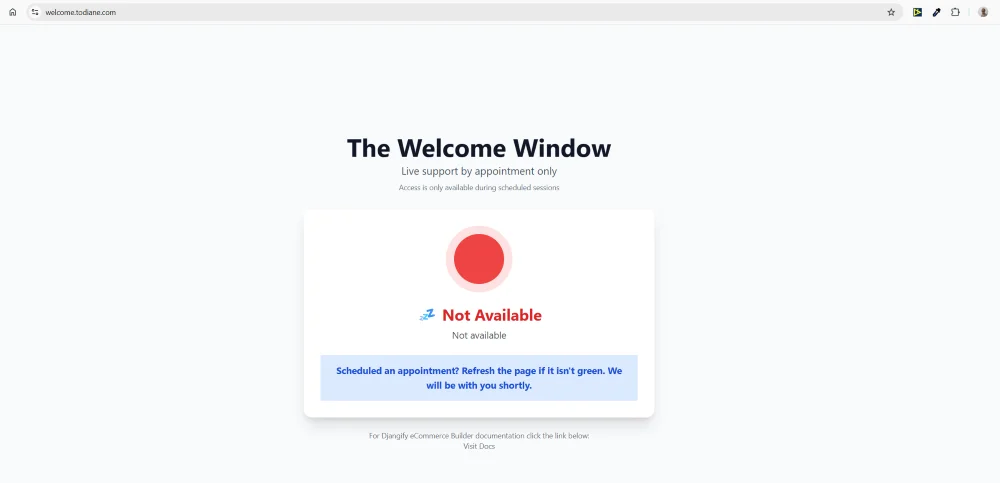
Overview
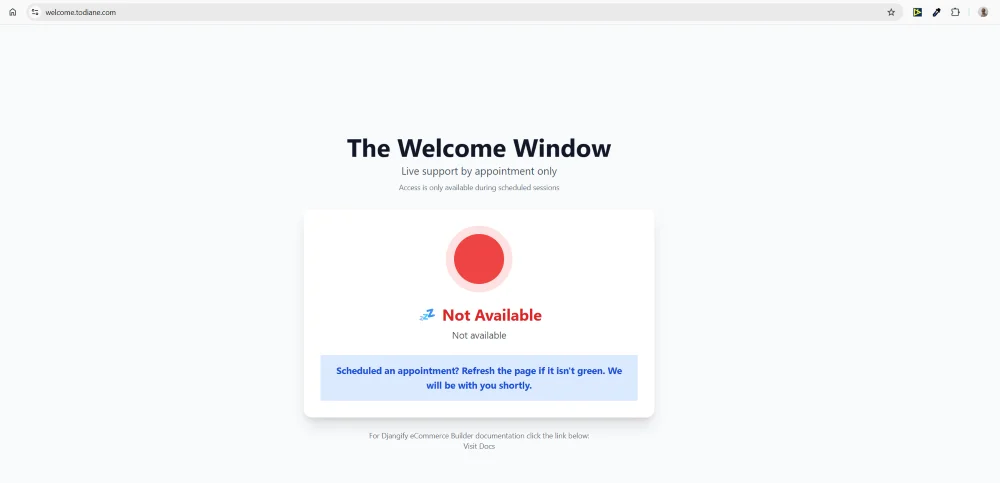
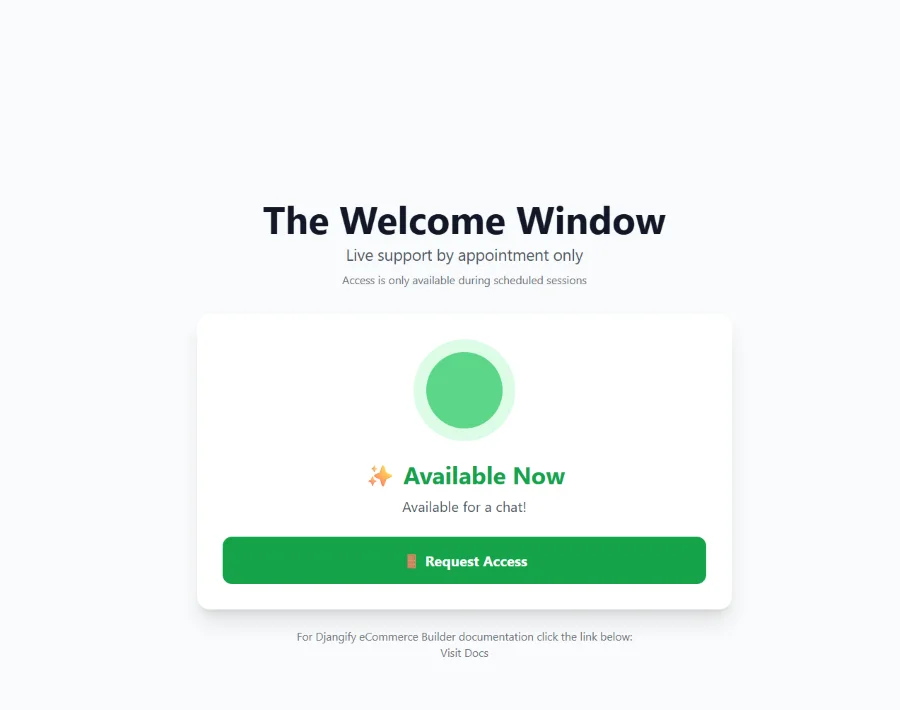
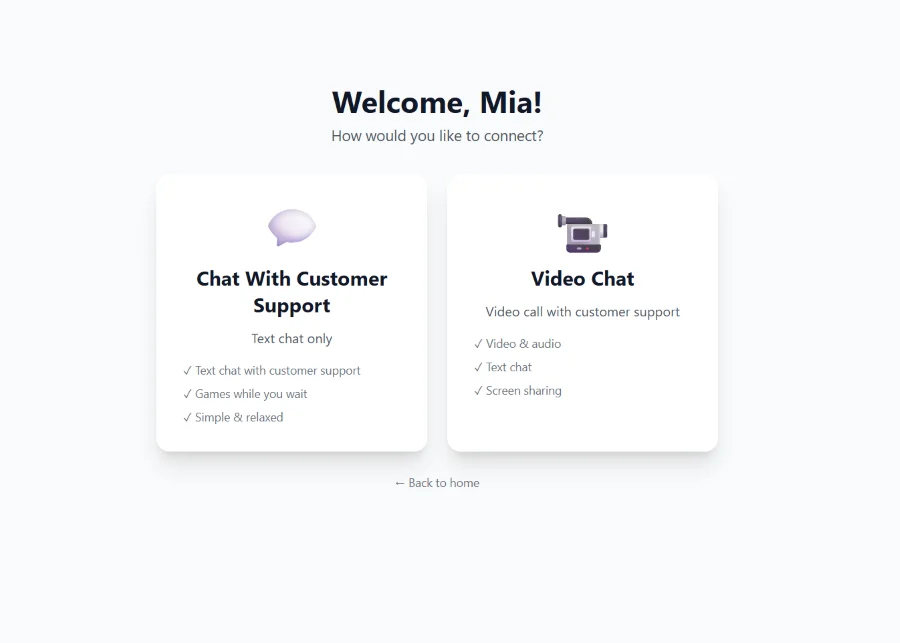
The Welcome Window is a Flask-based customer service application designed to make live support feel personal and engaging. It provides a professional interface where customers can request access, wait for approval, and connect via real-time chat or video while playing interactive games during wait times.
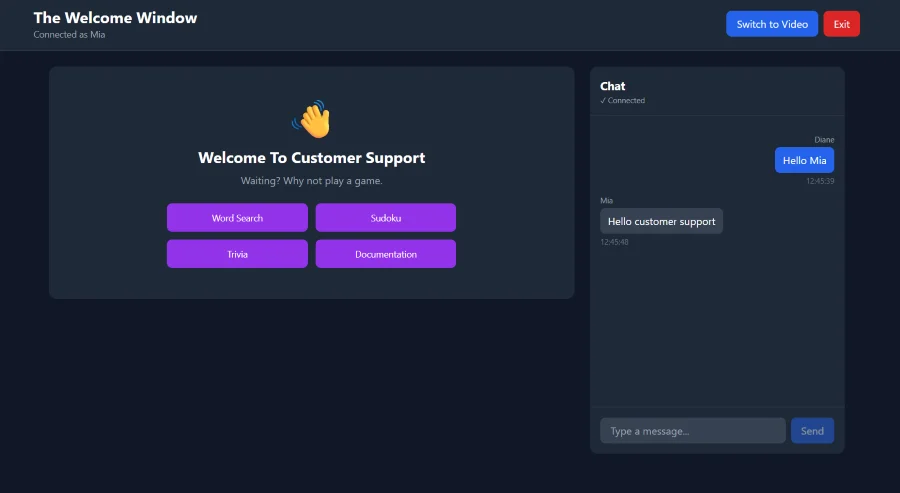
The project addresses a common problem in customer service: the awkward waiting period. Instead of staring at a loading spinner or empty chat box, visitors can play Word Search, Sudoku, or Trivia while waiting for responses. The appointment-based access model ensures the host maintains control over when and how they engage with customers.
- Real-time availability status system (Available, Busy, Away)
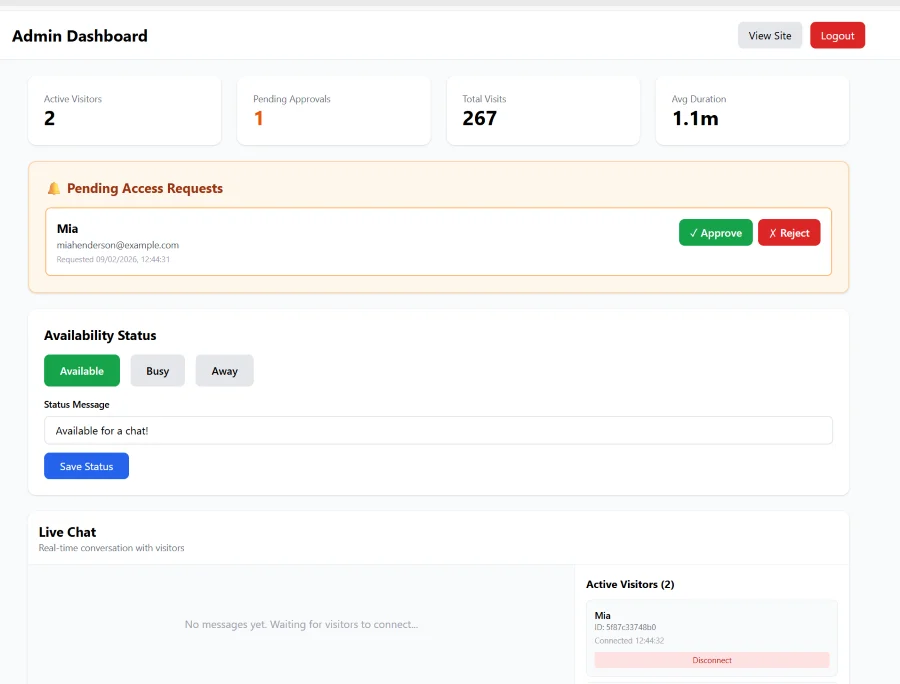
- Visitor approval workflow with name and email collection
- Live bidirectional chat with Socket.IO
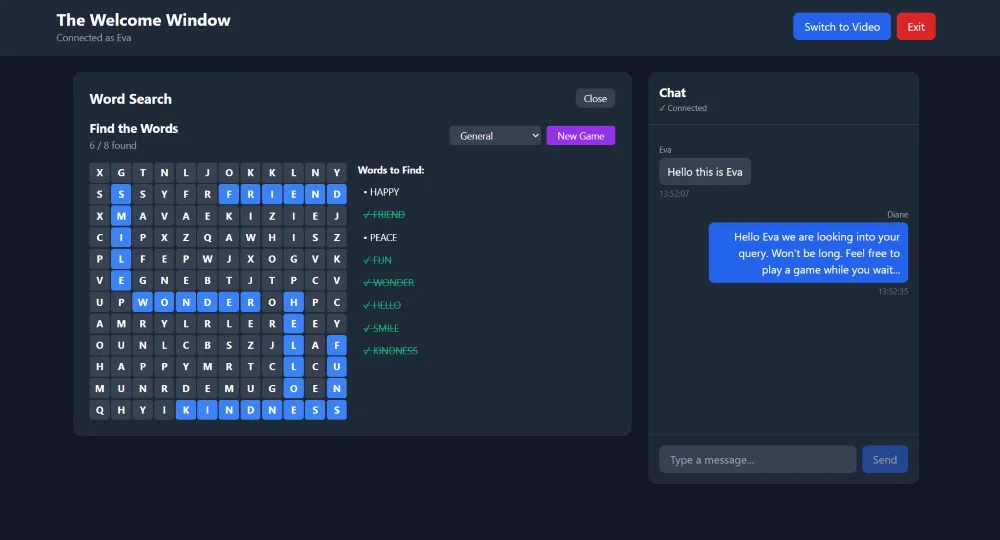
- Interactive games: Word Search (10 themes), Sudoku (3 difficulty levels), Trivia (Open Trivia Database API)
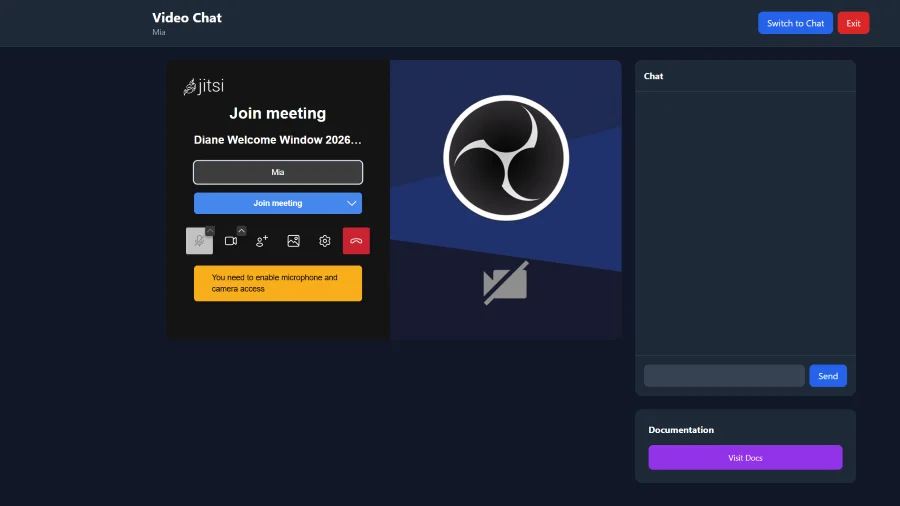
- Optional Jitsi Meet video chat integration
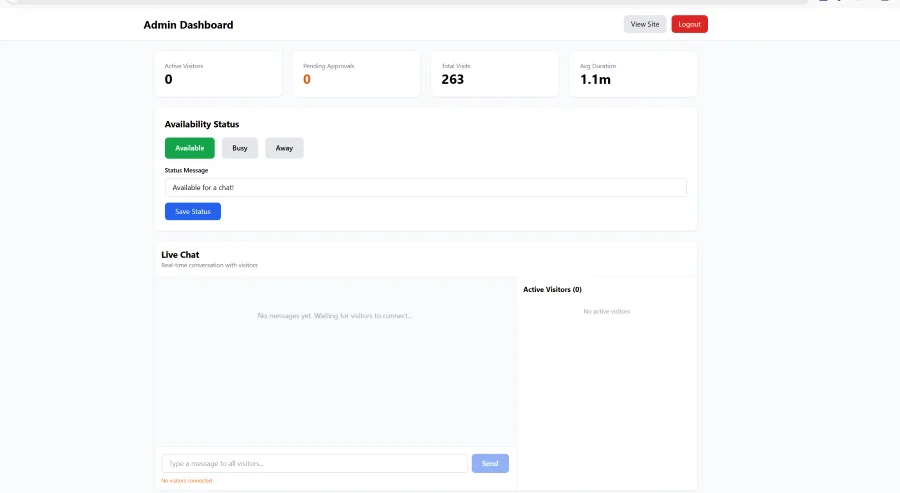
- Admin dashboard with visitor monitoring and queue management
- Guest book for asynchronous messages
- Visit analytics and duration tracking
The application is deployed in production at welcome.todiane.com and demonstrates proficiency in real-time web applications, WebSocket communication, session management, and full-stack development.
Technical Details
Architecture & Stack:
The application uses Flask 3.1.0 with Flask-SocketIO 5.4.1 running in eventlet async mode for reliable real-time communication. After initial development with threading mode, I discovered limitations in socket-based notifications and migrated to eventlet for proper bidirectional WebSocket support.
Backend Technologies:
- Flask 3.1.0: Web framework and routing
- Flask-SocketIO 5.4.1: Real-time bidirectional communication
- Eventlet: Async mode for WebSocket reliability
- SQLite with WAL mode: Database with concurrent access support
- Python 3.8+: Core language
Frontend Technologies:
- Tailwind CSS: Utility-first styling with CDN delivery
- Alpine.js: Reactive components without build tools
- Socket.IO client: WebSocket client library
- Jitsi Meet: Embedded video conferencing
Database Schema:
The SQLite database uses five core tables:
- availability - Current status and custom messages
- messages - Guest book entries with read tracking
- visits - Session logs with duration calculation
- pending_visitors - Access requests with approval workflow
- chat_messages - Persistent chat history with sender attribution
Game Implementations:
Word Search: Python-based grid generator with 10 themed word lists (Animals, Food, Travel, Tech, Nature, Music, Sports, Movies, Space, Christmas). Client-side JavaScript handles cell selection, word validation, and progress tracking.
Sudoku: Server-side puzzle generation with backtracking algorithm. Three difficulty levels (easy: 30 cells removed, medium: 40, hard: 50). Client validates solutions and highlights errors in real-time.
Trivia: Integration with Open Trivia Database API. Supports category filtering, difficulty selection, and configurable question count. Client-side timer with point scoring based on response speed.
Real-time Communication:
Socket.IO events handle all real-time updates:
- Admin joins dedicated "admin" room via join_admin event
- Visitor connections tracked in active_connections dictionary
- Chat messages broadcast to all connected sockets via send_message event
- Approval notifications sent via approval_granted/approval_rejected
- Forced disconnections handled via force_disconnect event
- Polling fallbacks implemented for reliability (2-3 second intervals)
Session Management:
Visitor sessions use server-side Flask sessions with 16-byte random identifiers. Admin authentication uses session-based login with configurable credentials via environment variables. **Deployment Configuration:** Production deployment on Ubuntu VPS:
- Caddy: Reverse proxy with automatic SSL via Let's Encrypt
- systemd: Process management with auto-restart on failure
- SQLite WAL mode: Concurrent read access for multiple connections
- Environment variables: Secret key, admin credentials, feature flags
Results
Production Deployment: The Welcome Window is live and fully functional for customer service operations. The application successfully handles:
- Real-time visitor approval workflow
- Simultaneous chat connections with message persistence
- Game playability without performance degradation
- Video chat integration via Jitsi Meet
- Admin dashboard with live visitor monitoring
Technical Achievements:
- Eventlet Migration: Resolved critical real-time messaging issues by switching from threading to eventlet async mode, enabling proper socket communication for admin notifications
- Chat Privacy: Implemented visitor-specific message filtering to prevent cross-contamination between different visitor conversations
- Polling Fallbacks: Added 2-3 second polling intervals as backup to socket events, ensuring message delivery even during connection instability
- Database Optimization: SQLite with WAL mode proved sufficient for concurrent access without requiring PostgreSQL migration
- Zero-Dependency Frontend: Achieved reactive UI with Alpine.js and Tailwind CSS via CDN, eliminating build tools
Code Quality:
- Manual deployment via scp upload to VPS (local development, remote deployment)
- Comprehensive admin/visitor interface separation
- Proper error handling and fallback mechanisms
- Session-based security with environment variable configuration
User Experience:
- Instant status updates without page refresh
- Clear visual feedback for all actions (approval pending, message sent, game completion)
- Smooth transitions between connection modes (chat vs video)
- Intuitive admin dashboard with one-click actions
- Mobile-responsive design across all pages
Project Outcomes:
This project demonstrates:
- Full-stack Flask development with real-time features
- WebSocket implementation and debugging
- Database design and session management
- External API integration (Open Trivia Database)
- Production deployment with SSL and process management
- Iterative problem-solving (threading → eventlet migration)
The Welcome Window serves as a complete example of building a professional customer service portal from scratch, with particular emphasis on real-time communication, user experience, and production-ready deployment practices.